Audit the HTS codes and origins across your Shopify catalog.
LiveMost Shopify catalogs carry partial customs data: some products have an HS code, fewer have a full 10-digit HTS code, and country of origin is often blank or inherited from a supplier sheet. SkuWatch finds those gaps, separates defensible suggestions from decisions that need more product facts, and never presents an unresolved classification as confirmed.
Available on Shopify: this workflow is part of SkuWatch Tariff Recovery. The current app produces estimates, review states, recovery drafts, and finance CSVs; it does not change products, prices, orders, or checkout charges.
- Search intent
- Shopify merchants looking for missing or wrong HS/HTS codes and country-of-origin values across a whole catalog.
- Workflow input
- Product records, existing HS/HTS assignments, country-of-origin fields, product titles, descriptions, and material attributes.
- Workflow output
- A gap report with three buckets: complete, high-confidence suggestion, and needs-review exception. Suggestions are proposals, never guaranteed classifications.
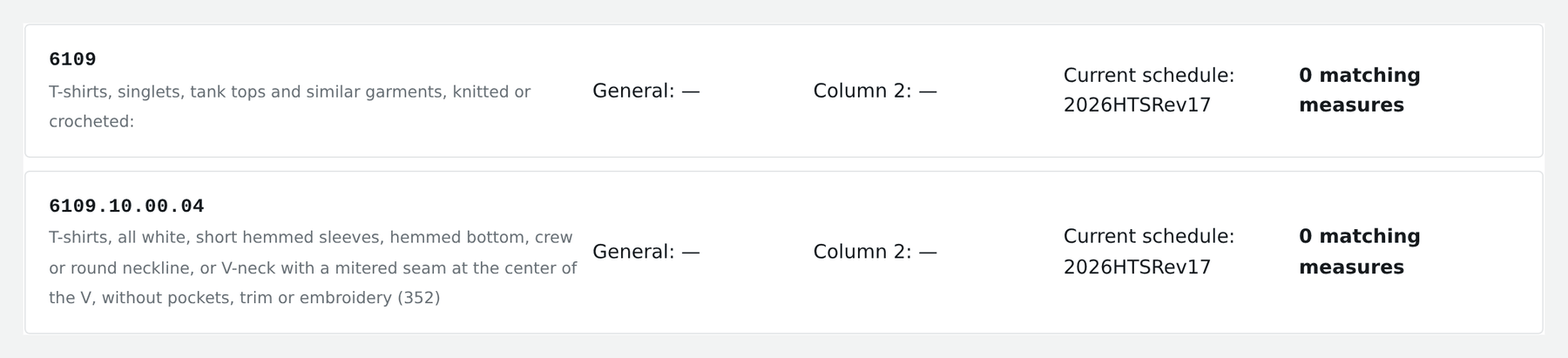
Catalog gaps, high-confidence suggestions, and needs-review exceptions
A Shopify catalog rarely fails customs review because every code is wrong. It fails because a handful of records are blank, inherited from a supplier spreadsheet, or classified at six digits when entry needs ten. The review separates what is already complete from what is genuinely missing, and is explicit about which missing items support a suggestion.
Three buckets, and the boundaries between them matter more than the counts:
- Complete. The product already carries an HS or HTS assignment and a country of origin. Nothing is proposed, and nothing is changed.
- High-confidence suggestion. The title, description, and material attributes point clearly at one heading. The suggestion is shown with the evidence behind it and stays a proposal until you accept it.
- Needs-review exception. The product facts are incomplete or point at more than one heading. These are surfaced as questions for a person, not guessed at. Assembled goods, mixed-material items, and kits usually land here.
Classification is a legal determination that depends on facts a product listing often does not carry: composition by weight, the state of assembly at import, and how the goods are packaged for retail sale. SkuWatch does not guarantee HTS accuracy and does not provide customs advice. Where a code drives a material decision, confirm it against the official schedule and, when needed, a licensed customs professional.
You can also inspect the same evidence without connecting a store: search a product or a known code, browse the current chapter tree, and check the revision printed on every result.
How catalog review works
Catalog facts, official tariff evidence, and estimates stay separated so unresolved inputs are visible before a decision.
Inventory what exists
Read product records with minimal scope and record which items already carry an HS code, a full HTS code, and a country of origin.
Classify the gaps
Split the catalog into complete records, records where the product facts support a high-confidence suggestion, and records too ambiguous to suggest.
Queue the exceptions
Present needs-review exceptions with the evidence behind them so a person confirms the classification before anything is written back.
Live app, source-linked tariff data
The HTS schedule, duty columns, and revision shown on the public lookup are the current published snapshot. Tariff Recovery uses that evidence for catalog review while keeping incomplete product facts and unresolved suggestions visible.
2026 HTS Rev 19 · synced · Operational
Inspect data and calculator status →Frequently asked questions
Can I run this review on a Shopify catalog?
Yes. Install SkuWatch Tariff Recovery from its official Shopify App Store listing. The public lookup also remains available for one product or known code without connecting a store.
Does a high-confidence suggestion mean the HTS code is correct?
No. A suggestion is a proposal based on the product facts you supply. SkuWatch does not guarantee HTS accuracy, and a classification decision is yours to confirm against the official schedule.
What can I use right now instead?
The public HTS lookup is live and free. You can search a product description or a known code, review the candidate headings and duty columns, and check the schedule revision on every result.
Reference information only, not customs, legal, tax, or classification advice. SkuWatch does not guarantee HTS accuracy or a final duty amount; confirm material classifications and entry facts before acting.