Import cost sits on products, so recovery belongs on products.
LiveThere are two shapes for recovering an import cost on Shopify: a cart-level amount applied to every order, or a per-product amount that follows the goods actually carrying the cost. The first is easier to implement and harder to defend — a buyer ordering a domestically sourced item pays for someone else's tariff. The second matches the cost to its cause, and it is the shape SkuWatch models.
Available on Shopify: this workflow is part of SkuWatch Tariff Recovery. The current app produces estimates, review states, recovery drafts, and finance CSVs; it does not change products, prices, orders, or checkout charges.
- Search intent
- Shopify merchants comparing a per-product fee against a cart or checkout fee for recovering tariff cost.
- Workflow input
- The per-unit import cost for each affected SKU, and the merchant's choice of which products carry a recovery amount.
- Workflow output
- A per-product recovery draft for review and manual setup, with products, prices, orders, and checkout charges left unchanged by the app.
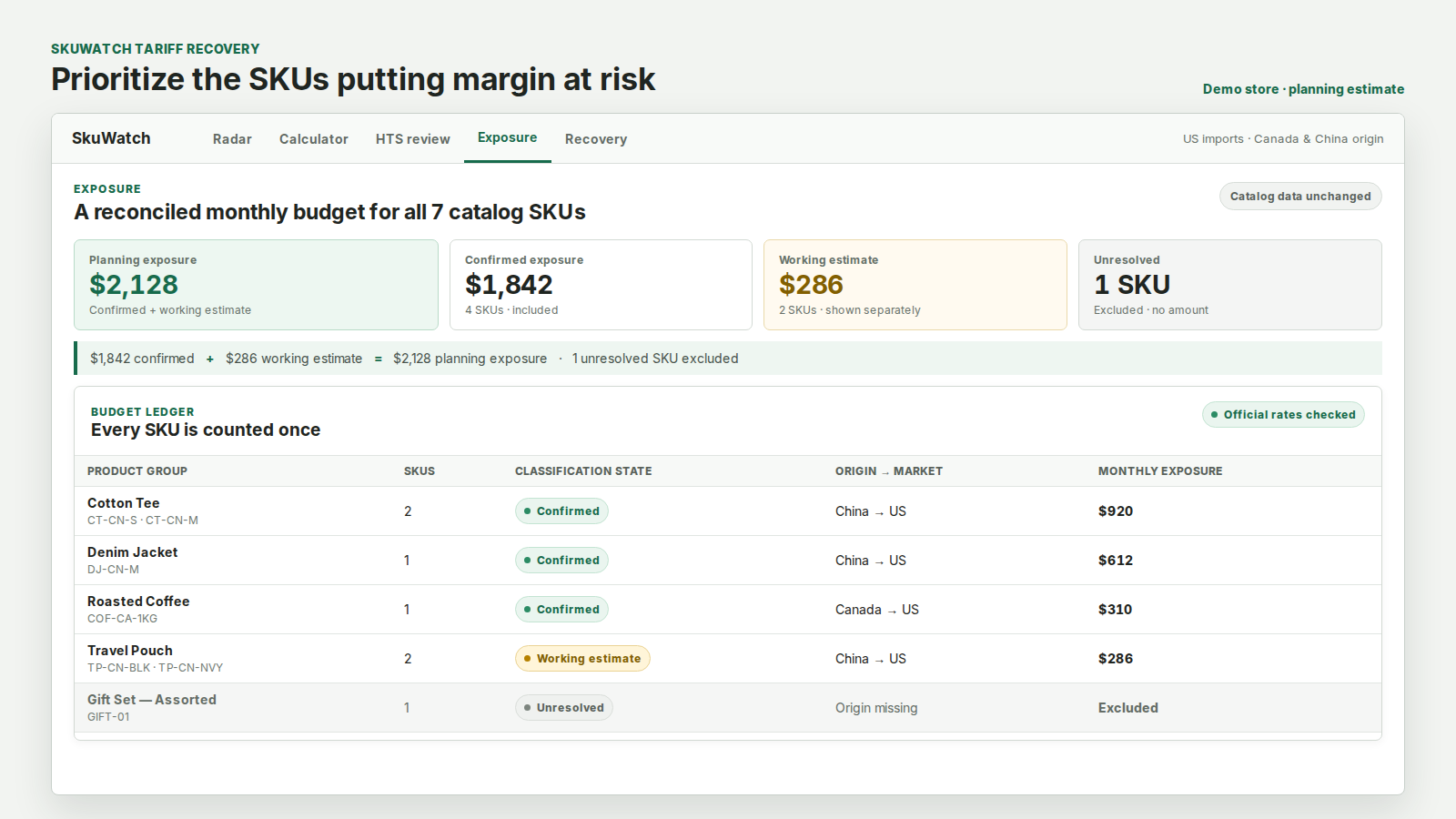
Per product, per cart, and what each one actually touches
A cart-level fee treats a tariff as a cost of doing business with your store. A per-product amount treats it as a cost of those goods. Only the second one survives a buyer asking why they are paying it.
It is also the only shape that can be reconciled later. When the amount follows the product, an order's recovery total is explainable from the items in it; when it is applied at the cart, it is a flat addition with no line-level basis.
What gets touched
Whatever shape is chosen, the merchant should be able to see the exact Shopify objects before approving anything. SkuWatch names the object, the operation, the field and the count for every option — including the surfaces it does not write, like the cart line that appears because a product exists rather than because anything was written to a cart.
SkuWatch is not a customs broker or a tax advisor, does not remit duty, and does not guarantee a recovered margin. Every recovery is a draft a merchant approves, and every approval is recorded with the wording the buyer would see.
Choosing the shape before choosing the amount
Catalog facts, official tariff evidence, and estimates stay separated so unresolved inputs are visible before a decision.
Put the cost where it came from
A recovery amount on a product the measure never touched is a price rise wearing a tariff's name. Only the SKUs with a real, sourced import cost are in scope.
Show it where the buyer is already deciding
A per-product amount can be explained on the product, before checkout, in wording that names it as a merchant cost recovery rather than a government charge.
See the records before approving
Product, variant, price, metafield, cart line and order tag — each one named with the operation and the count, before any approval. "Updates your products" is not a disclosure.
Live app, source-linked tariff data
The per-product costs behind recovery drafts come from the current published tariff snapshot. Drafts remain review-only; the app does not change any product, price, order, or checkout charge.
2026 HTS Rev 19 · synced · Operational
Inspect data and calculator status →Frequently asked questions
Why not just add a checkout fee?
A checkout fee charges every order for a cost that only some products carry, and it appears at the point a buyer is most likely to abandon. It also needs a different permission and a different trust conversation than a product-level price.
Does SkuWatch create the product or price for me?
No. Tariff Recovery prepares review-only drafts and finance CSVs for manual setup. The current app does not create or update a product or price.
Can I exclude products from recovery?
Yes, and several exclusions apply by default. SKUs missing an HTS code, an origin or a unit cost are excluded because there is no figure to recover, and SKUs on a low-confidence match are blocked entirely.
Is there a cap on the amount?
A recovery amount never exceeds the import cost SkuWatch measured for that SKU, and it is capped as a share of the item's own price. Amounts below a minimum are dropped rather than shown.
Reference information only, not customs, legal, tax, or classification advice. SkuWatch does not guarantee HTS accuracy or a final duty amount; confirm material classifications and entry facts before acting.