Find the products a tariff hit, and recover the margin it took.
LiveSkuWatch Tariff Recovery is one app with one job: work out which of your products carry a real import cost, make the underlying data good enough to trust, price the margin impact, and draft the recovery you approve. It is a single workflow — scan, fix, model, recover — not four tools bolted together. Every page in this cluster is an entry point into it.
Available on Shopify: this workflow is part of SkuWatch Tariff Recovery. The current app produces estimates, review states, recovery drafts, and finance CSVs; it does not change products, prices, orders, or checkout charges.
- Search intent
- Shopify merchants whose margin moved after a tariff change and who need to know which SKUs, how much, and what to do about it.
- Workflow input
- Your product catalog, read only, plus the HTS code, country of origin and unit cost you confirm for each SKU.
- Workflow output
- Exposed SKUs ranked by monthly tariff cost, margin after duty, break-even pricing, and a merchant-approved recovery draft with a full audit and rollback record.
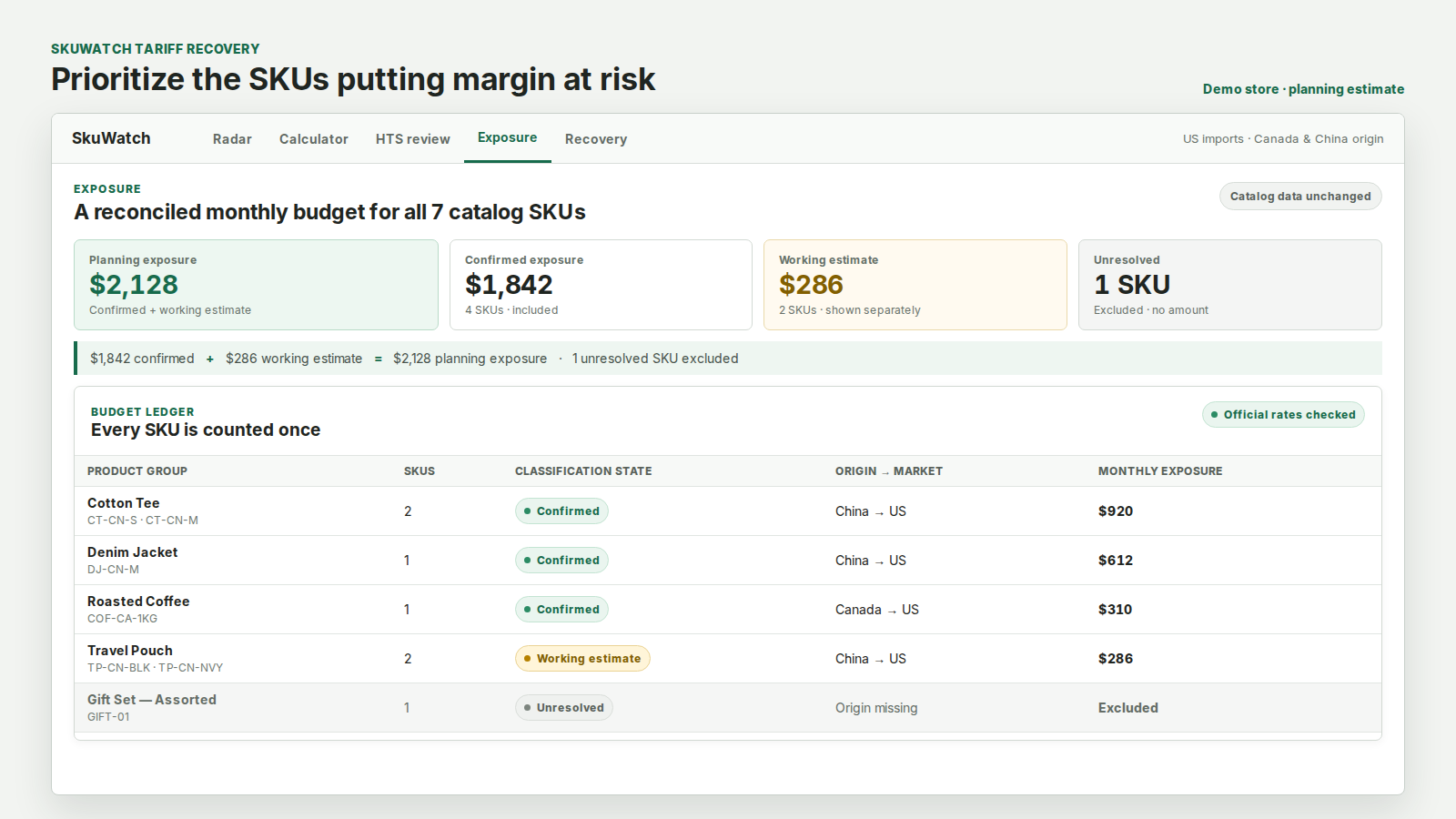
One app, one promise, four steps
A tariff change does not hit a catalog evenly. It lands on the products whose classification and origin put them inside the measure, and leaves the rest alone. The work is finding which ones, and most merchants cannot do it because the data that decides it — the HTS code and the country of origin — is missing or unconfirmed on the products that matter.
That is the sequence this app follows, and the reason it is one app rather than four. A classification without a cost is trivia. A landed cost without a confirmed classification is a guess. A recovery plan built on either is a pricing error waiting to be disclosed to a buyer.
What it will and will not do
- Read-only today. The app holds read-only catalog access. It creates no product, changes no price, adds no checkout fee and charges no customer.
- Review before setup. Recovery drafts and finance CSVs show the proposed amount for manual review. The current app does not write prices or checkout charges.
- Clear operating boundary. Products, prices, orders, and checkout charges remain unchanged by the app.
- Evidence or nothing. A SKU on a low-confidence classification is blocked from every recovery option. A guessed code is not a basis for charging a buyer.
The public tools stay available
You can also search HTS codes, estimate landed cost with the duty stack itemized, and monitor official trade actions with their effective dates and sources without connecting a Shopify store.
How the workflow runs
Catalog facts, official tariff evidence, and estimates stay separated so unresolved inputs are visible before a decision.
Find the SKUs actually carrying cost
Match catalog products to HTS codes and origins, and rank them by the monthly tariff cost they carry. Most catalogs have far fewer exposed products than the merchant expects, and they are rarely the ones assumed.
Close the data gaps that block a real number
A missing code, origin or unit cost is why a SKU has no figure. The exception queue names exactly which fact is missing per product, with the evidence behind every suggested match.
Price the impact per product
Landed cost with the duty stack itemized, margin before and after, points lost, and the break-even price that would restore it.
Draft the recovery you approve
Recovery options modeled read-only, with the exact Shopify records a change would touch, the wording a buyer would read, and a rollback plan — all before any approval.
Live app, source-linked tariff data
Every tariff figure uses the same public data behind the free calculator and tariff watch on this site — resolved against the current published schedule, with each represented duty layer sourced.
2026 HTS Rev 19 · synced · Operational
Inspect data and calculator status →Frequently asked questions
Is this one app or several?
One. HTS lookup, the landed-cost calculator and tariff monitoring are steps inside the same margin-recovery workflow, not separate products. Every page in this cluster leads to the same app.
Can I install it today?
Yes. SkuWatch Tariff Recovery is listed on the Shopify App Store. The free tariff tools on this site also remain available without an account or store connection.
Will it change my prices automatically?
No. The current app does not change products, prices, orders, or checkout charges. Recovery drafts and finance CSVs are prepared for manual review and setup.
Does SkuWatch handle customs filing or duty payment?
No. SkuWatch is not a customs broker, does not file customs entries, does not remit duty to any authority, and is not a tax or legal advisor. It estimates from published official data and shows the source behind every figure.
Does it cover Canada?
US import duty is what the calculations model today. Canada-bound entries are labelled as not modelled rather than quietly included, so a US figure is never read as covering both directions.
What does it guarantee?
Nothing about outcomes. It does not guarantee an HTS classification, a duty amount, compliance, or a recovered margin. What it guarantees is that every number carries its source, and that anything it cannot evidence is withheld rather than estimated.
Reference information only, not customs, legal, tax, or classification advice. SkuWatch does not guarantee HTS accuracy or a final duty amount; confirm material classifications and entry facts before acting.